Secret waifu
✨ YOU FOUND IT ✨
you typed "waifu" — here's your reward 🌸
VERSION 1.1.0 — NOW ON ANDROID

SWIPE
WAIFU

DISCOVER  ·  COLLECT  ·  CHAT

Discover unlimited anime waifu images. Swipe through 30+ categories, save favorites, and chat with the Anime Fanbase community.

30+ CATEGORIES COMMUNITY CHAT SAVE FAVORITES KEYBOARD SHORTCUTS NATIVE APPS DARK / LIGHT THEME SOUND EFFECTS NSFW MODE 30+ CATEGORIES COMMUNITY CHAT SAVE FAVORITES KEYBOARD SHORTCUTS NATIVE APPS DARK / LIGHT THEME SOUND EFFECTS NSFW MODE
PULL TO REFRESH
Waifu of the moment
WAIFU
WAIFU OF THE MOMENT

RANDOM
WAIFU
DROP

A fresh random waifu every time you visit — hit refresh for a new one.

Swipe More

FEATURES

Swipe or Arrow keys

Fetch random waifu images instantly. Swipe on mobile, Press Arrow keys on desktop.

30+ SFW Categories

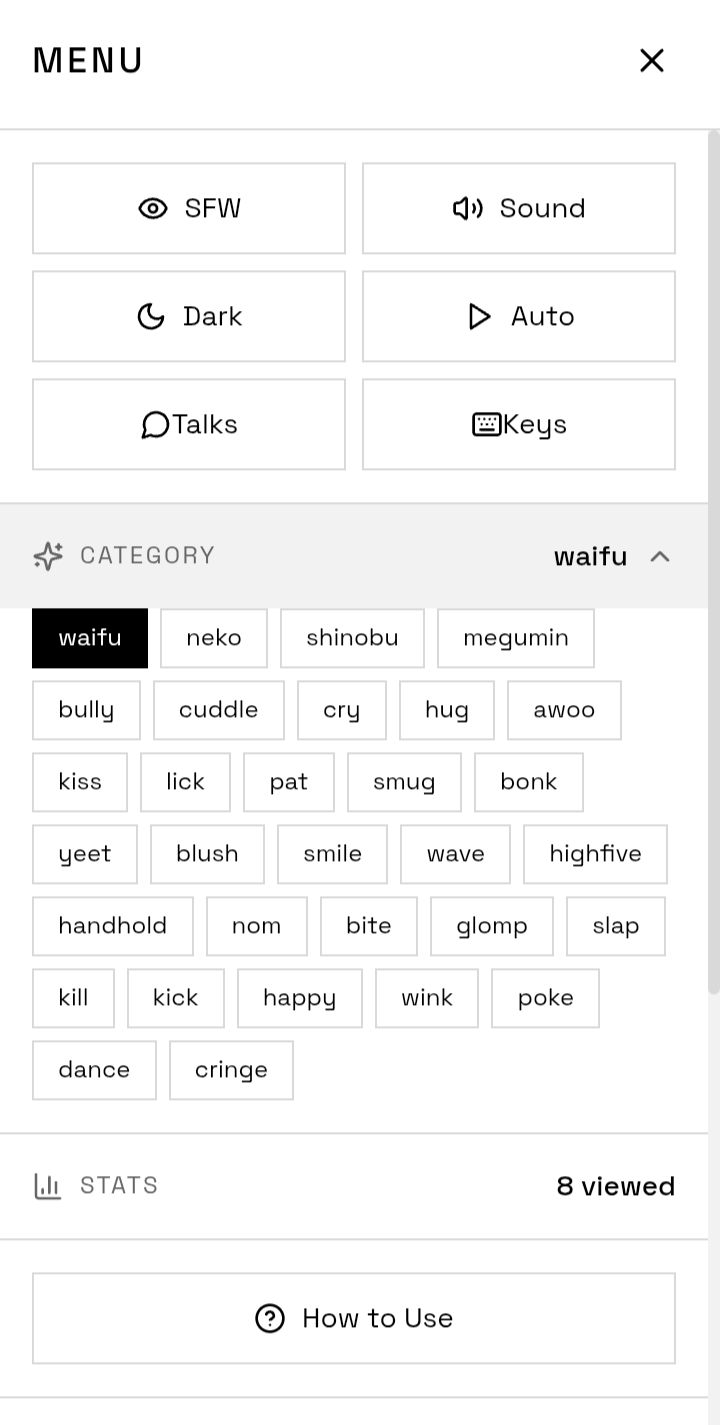
Waifu, neko, shinobu, megumin and many more. Browse by type or go random.

NSFW Mode

Age-verified NSFW content available. Toggled safely behind a verification gate.

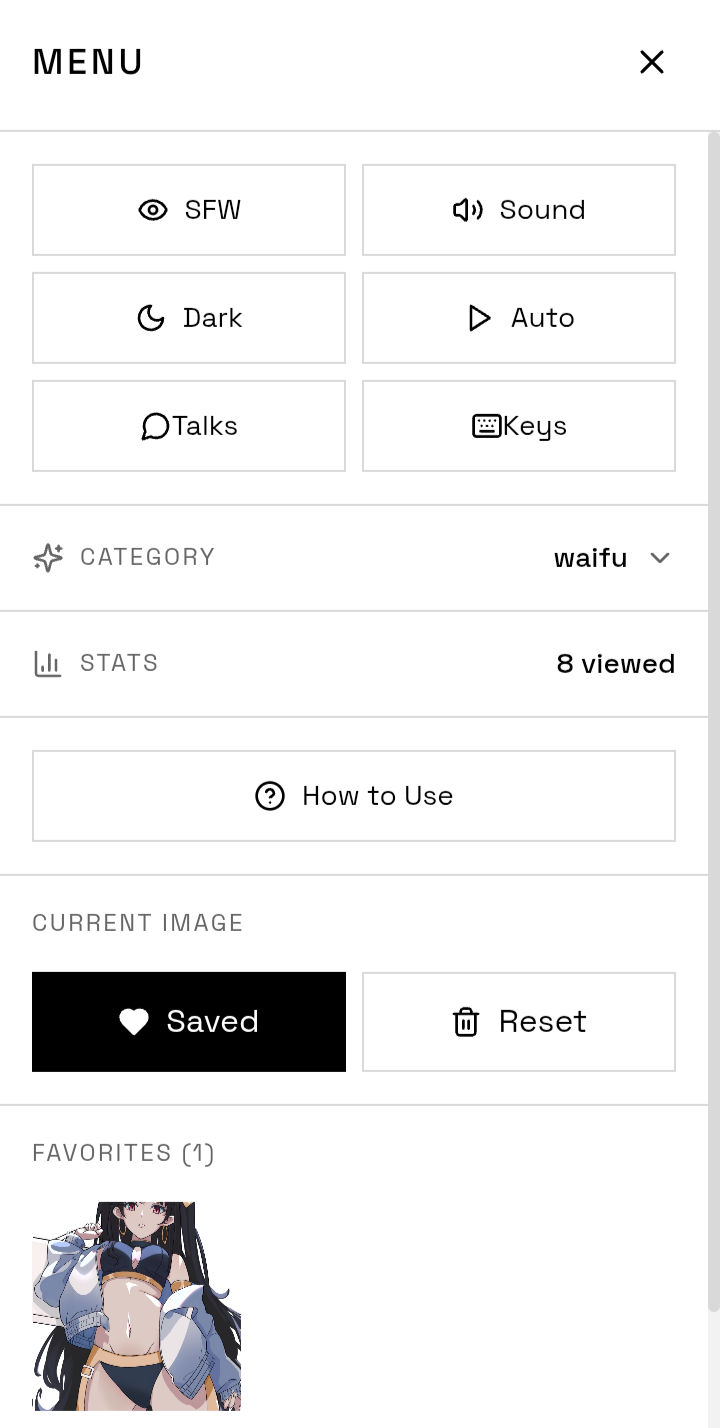
Favorites Collection

Save your picks and download images directly to your device.

Auto-Slide Mode

Let waifus cycle automatically. Speed options: 2s, 3s, 5s, or 10s.

History Navigation

Go back and forward through your viewing history. Nothing gets lost.

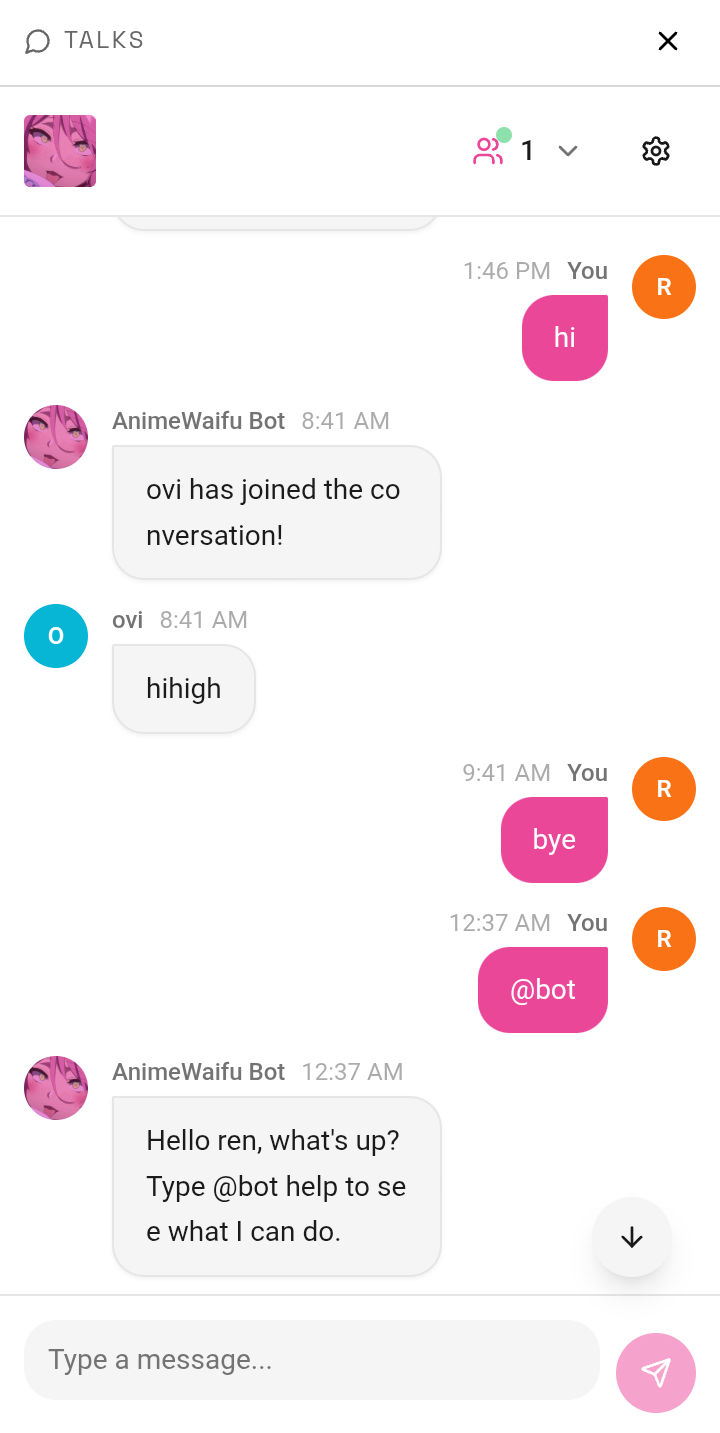
Community Chat

Talk with anime fans in the built-in Talks community section.

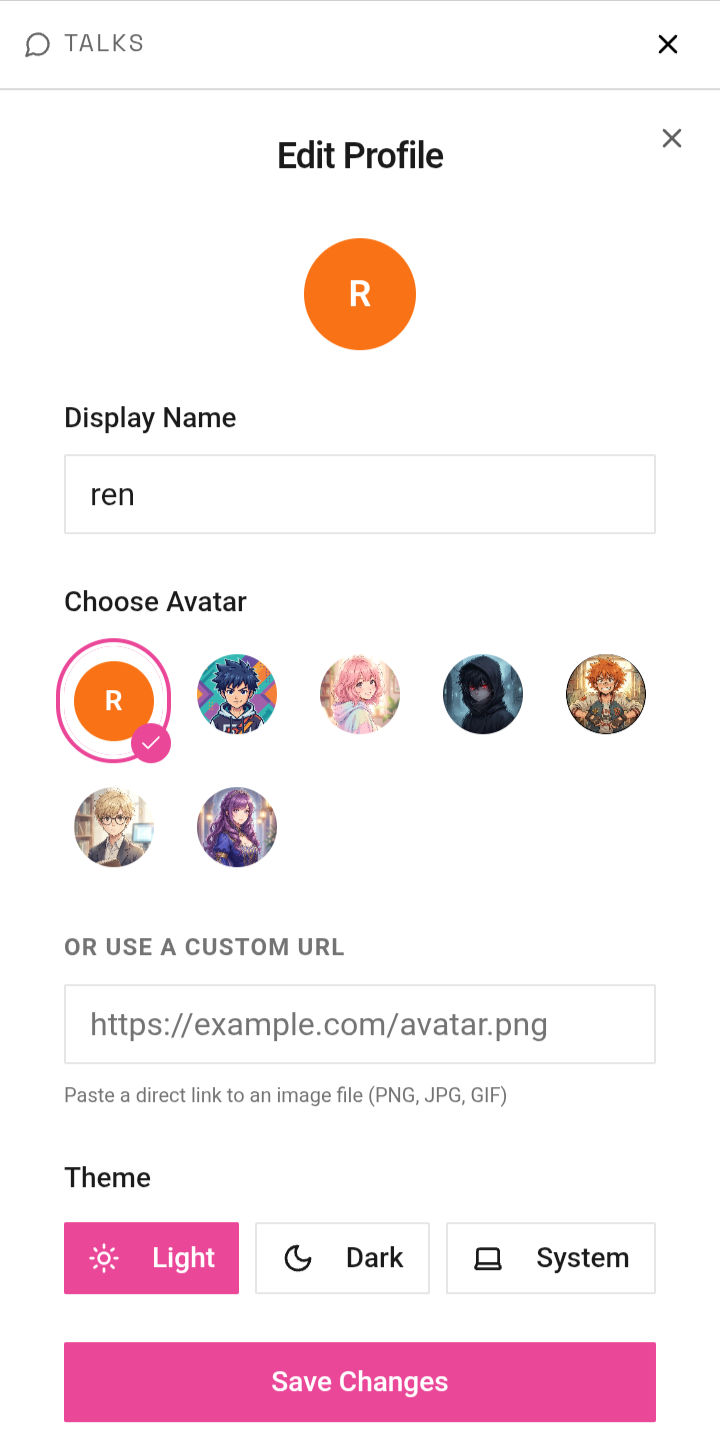
Dark / Light Theme

Switch modes any time. Both are clean and easy on the eyes.

Native Apps

Available as native apps on Android, Windows, and Linux for a seamless experience.

CATEGORIES

SFW 30+ SFW categories to browse — swipe through any of these or go completely random.
waifuneko shinobumegumin bullycuddle cryhug awookiss lickpat smugbonk yeetblush smilewave nombite glompslap killhappy winkpoke dancecringe + NSFW

DOWNLOAD

Android available now · Windows & Linux coming soon

ANDROID
v1.1.0 · Available Now
06 MB
Download APK

Enable "Install unknown apps" in Settings first

WINDOWS
Coming Soon
In Development
LINUX
Coming Soon
In Development
WEB
Always Available · No Install
Open App
GITHUB
v1.1.0 · All Releases
View Releases

HOW TO INSTALL

ANDROID APK
  1. Download the APK above
  2. Go to Settings → Security
  3. Enable Install Unknown Sources
  4. Open the APK and tap Install
  5. Launch and enjoy
WINDOWS
  1. Download the installer when available
  2. Run the .exe setup file
  3. Follow the installation wizard
  4. Launch SwipeWaifu from your desktop
LINUX
  1. Download the package when available
  2. Install via your package manager or .AppImage
  3. Make it executable if needed
  4. Launch and enjoy SwipeWaifu

KEYBOARD SHORTCUTS

PC ONLY Control everything without touching your mouse.
KeyAction
Next waifu
Previous waifu
SpaceToggle favorite
AToggle auto-slide
MMute / Unmute
?Show shortcuts help

CONTRIBUTE & OPEN SOURCE

FREE & OPEN SOURCE
MIT License · Fork it, remix it, ship it
View on GitHub
01

Fork the Repo

Click Fork on GitHub to create your own copy of the project.

Fork Now
02

Clone & Set Up

Clone locally and run the dev server with Bun or npm.

# clone your fork
git clone https://github.com/YOU/SwipeWaifu.git
cd SwipeWaifu

# install & run
bun install / npm install && bun dev / npm run dev
03

Make Changes

Create a new branch for your feature or fix.

git checkout -b feature/my-feature
04

Open a Pull Request

Push your branch and open a PR against main.

Open a PR

WAYS TO HELP

Report Bugs

Open an issue with steps to reproduce and your device info.

File an Issue

Star the Project

Starring the repo helps others discover SwipeWaifu.

Star on GitHub

Suggest Features

Have an idea? Open a feature request and let's discuss it.

Request Feature

Spread the Word

Share with your anime friends and communities. Every mention helps.

MIT LICENSE

Free to use, copy, modify, merge, publish, distribute, sublicense, or sell. The only requirement is keeping the original copyright notice in all copies or substantial portions of the software.

Read Full License


SCREENSHOTS

APP UI A look at SwipeWaifu in action — swipe, collect, and chat.

CHANGELOG

v1.1.0 LATEST Feb 19, 2026
  • Native Android APK release
  • Community Talks / Chat section added
  • Auto-slide mode with speed controls (2s, 3s, 5s, 10s)
  • Keyboard shortcuts support on desktop
  • History navigation — go back & forward
  • Improved image loading performance
  • Various UI fixes and polish
v1.1 STABLE Feb 18, 2026
  • Initial public release of SwipeWaifu
  • 30+ SFW waifu categories via waifu.pics API
  • Save favorites & download images
  • Dark / Light theme toggle
  • NSFW mode with age verification gate
  • Fully responsive PWA — works on mobile & desktop
v1.2.0 UPCOMING
  • Windows desktop app
  • Linux package (.AppImage / .deb)
  • More community features
  • Performance improvements & bug fixes
View all releases on GitHub

FAQ

Yes, completely free. The web app, Android APK, and all future platform releases are free with no ads, no subscriptions, and no paywalls. It's also fully open source under the MIT license.
The app requires an internet connection to fetch new waifu images from the waifu.pics API. However, your saved favorites are stored locally on your device and are always accessible offline.
SFW stands for "Safe For Work" — these are clean, non-explicit anime images suitable for all audiences. NSFW stands for "Not Safe For Work" — this content is explicit and only available after passing an age verification gate. SwipeWaifu defaults to SFW mode.
Download the APK from the Download section. Before installing, go to Settings → Security and enable "Install Unknown Sources". Then open the downloaded APK file and tap Install. See the full install guide above for step-by-step instructions.
Windows and Linux versions are currently in development and will be released in an upcoming version. For now you can use the web app at iamovi.github.io/SwipeWaifu on any platform.
All images are fetched from the waifu.pics public API — a community-maintained anime image API with 30+ SFW and NSFW categories.
Absolutely! SwipeWaifu is open source. You can fork the repo, open issues, suggest features, or submit pull requests on GitHub. Check the Contribute section above for the full guide.
Open an issue on GitHub Issues with your device info, the steps to reproduce the bug, and what you expected to happen vs what actually happened.
ABOUT PROJECT

What is SwipeWaifu?

SwipeWaifu is an open-source anime waifu discovery app built for anime enthusiasts. Swipe through 30+ SFW categories, save your favorites, use keyboard shortcuts on desktop, and chat with the Anime Fanbase community — all in one place. Available on Android, Web, and soon on Windows & Linux.

The project aims to be fast, fun, and free — celebrating anime culture through clean design and a constantly growing image library. Open source and community-driven, contributions are always welcome.

Anime Open Source Android Web App Windows Community Free
Ovi ren — Creator CREATOR
ABOUT THE CREATOR
OVI REN
WRITER & DEVELOPER

Hey, I'm Ovi ren — I write scripts and build things. SwipeWaifu is my open-source project for the anime community. I like keeping things simple, fun, and free.

PRIVACY POLICY

TL;DR SwipeWaifu does not collect, store, or sell your personal data. Ever.

No Data Collection

SwipeWaifu does not collect any personal information. No accounts, no sign-ups, no tracking. You use the app anonymously.

Images via waifu.pics

All images are fetched from the public waifu.pics API. We do not host or store any images ourselves. Their API is stateless — no user data is sent.

Local Storage Only

Your saved favorites and preferences (dark/light theme, etc.) are stored locally on your device only. This data never leaves your device and is not accessible to us.

Community Chat

The built-in Anime Fanbase community chat is a third-party integration. Messages posted there are subject to that platform's own privacy policy. Please be mindful of what you share publicly.

No Cookies or Ads

SwipeWaifu uses no advertising cookies, no analytics trackers, and no third-party ad networks. The docs site uses localStorage only to remember your theme preference.

Contact

Have a privacy concern or question? Open an issue on GitHub and we'll respond as soon as possible.

Last updated: February 2026